19.12.2024 Project Description
In this project, the primary objective is to develop a website that serves as a showcase for various computer parts, utilizing a selection of carefully prepared photos and detailed documentation that have already been gathered. The website will aim to provide a comprehensive and user-friendly experience for visitors, giving them an in-depth understanding of each computer component featured. It will include high-quality images of the parts, accompanied by descriptions that explain their functions, features, and importance in the context of building and optimizing a computer system. CSS will be used (Cascading Style Sheets) to enhance the overall appearance of the website, ensuring that it maintains a clean, organized, and professional look. The use of CSS will allow for advanced styling options, such as animations, hover effects, and color schemes, making the website not only functional but also visually engaging. Special attention will be given to making sure the website loads quickly, which will be achieved by optimizing images and using efficient coding practices. This will ensure that the website performs well even for users with slower internet connections, providing a seamless browsing experience. The website will also be thoroughly tested to minimize errors and bugs, with any issues promptly addressed before the final launch. Once the site is complete and fully functional, it will be uploaded to a server, where it will be accessible to the public. A link to the live website will be shared, allowing others to explore and interact with the content. This will provide an opportunity for feedback, which can be used to make any necessary improvements or updates. Finally, the project will culminate in a presentation to the class, where the designer will explain the entire design and development process. During this presentation, they will detail the choices made at each stage of the project, including decisions regarding layout, functionality, and the overall user experience. This will offer insights into the design thinking and problem-solving strategies employed to create a successful website that meets both the project's goals and the expectations of the end users.
How to Build a PC
Step by step guide, the pictures have been taken from a previous project.
Step 1: Opening the Computer Hood
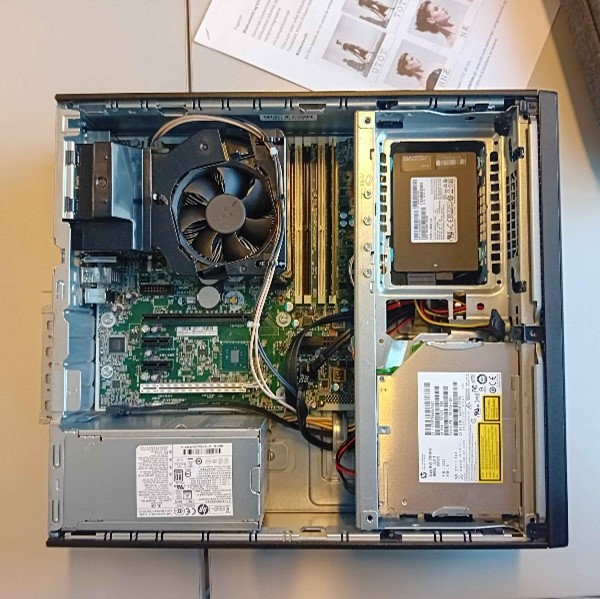
Pull the hinge carefully to the right, so that the panel smoothly slides off. Once the panel is removed, the interior components will be shown. Here, you will get a somewhat easy access to it's parts.
Step 2: Discharging Electricity
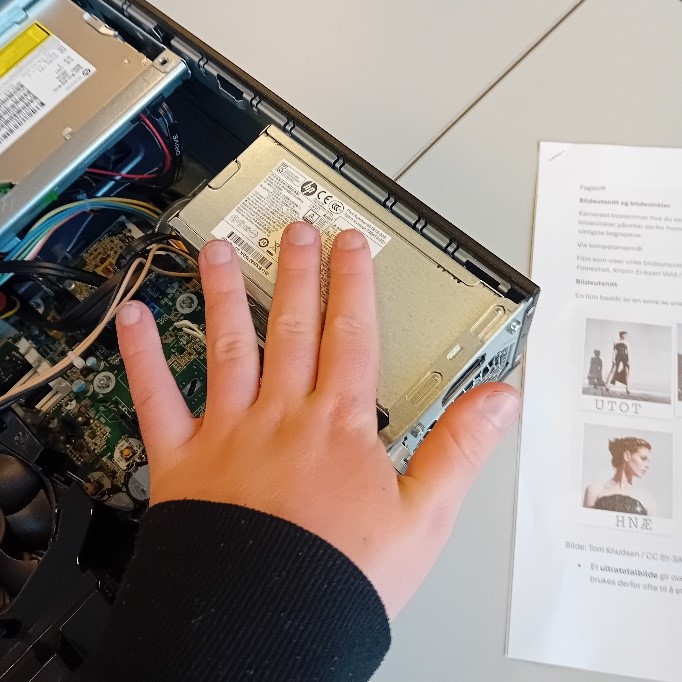
Before you begin working with electronic components, it's important to touch metal parts like this one to discharge any static electricity that may have built up in your body. Static electricity can damage sensitive electronic parts, such as circuit boards or delicate components. By touching these parts, you ensure that you don't transfer unwanted voltage to the electronic components while working with them, which can help prevent malfunctions or damage to the equipment. Feel free to repeat this process multiple times during disassembly.
Step 3: The RAM
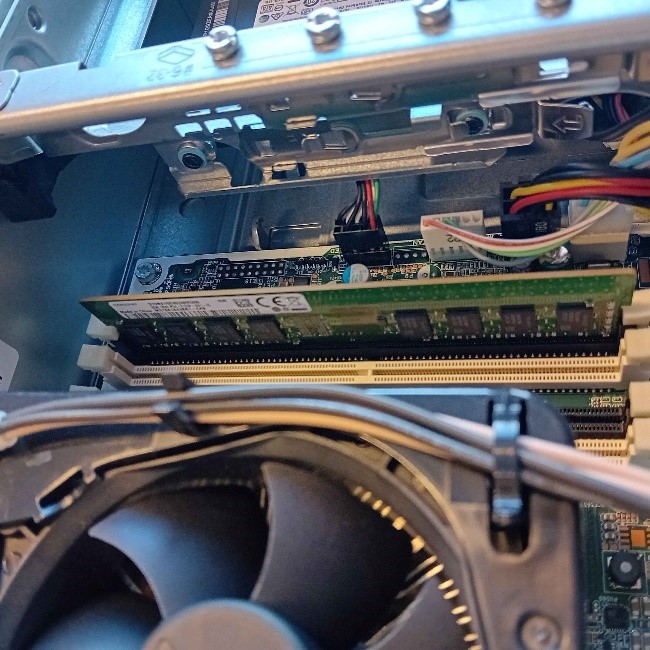
Here you can see the RAM module, which is placed to the right of the fan in the computer. It is one of the most important components for the machine to handle multiple tasks simultaneously, as the RAM temporarily stores data while the system is working. To remove the RAM, you need to gently press down the clips that hold the module in place. These clips are located on both sides of the RAM, and when pressed down, you will hear a small click signaling that the module is released. Once the clips are open, you can carefully lift the RAM out of the slot, making sure not to bend or apply pressure to the circuit board to avoid damaging the RAM or other surrounding components.
Step 4: The Cables
Here you can see four cables placed to the right of the RAM. These cables need to be removed with care, as they are connected to important components in the system. When removing them, it is important to work carefully to avoid damaging the cables or the ports they are plugged into. To make the process easier, lift up this panel that covers part of the area where the cables are attached. Once the panel is removed, you will have better access to the cables, making it easier to unplug them without bending or damaging them. Make sure you have a firm grip on the cables.

Step 5: The Power Supply
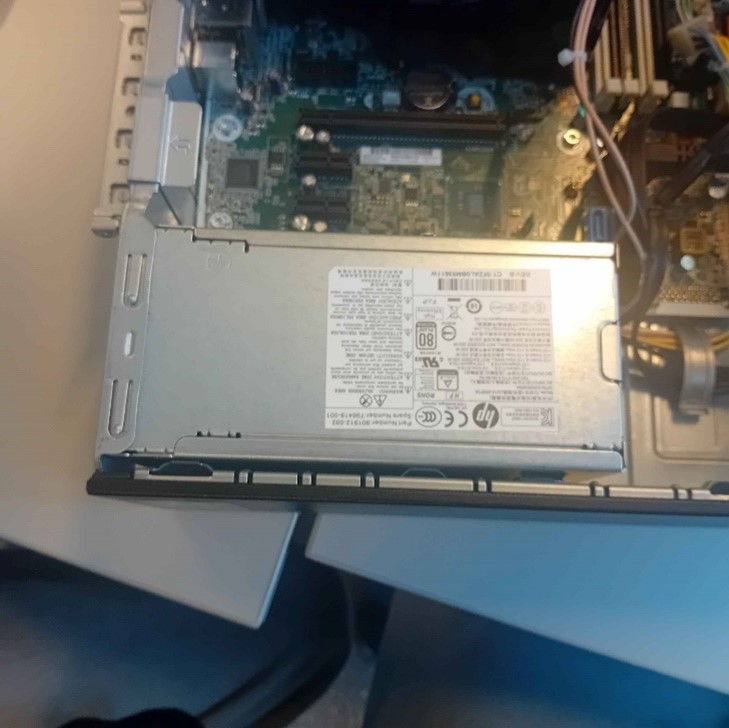
Here you can see the power supply, which is a critical component in the computer. The power supply's job is to provide stable power to all the other components, and it is important to handle it carefully when removing it.
To Assemble the computer again, simply backtrack the previous steps
PC Components
A computer's essential components and their functions.
CPU

The CPU is crucial for processing tasks and running applications. A fast and efficient CPU is essential for gaming, productivity, and general tasks.
RAM

Random Access Memory (RAM) allows a computer to quickly access and use data while performing tasks. More RAM improves multitasking and the system's responsiveness.
Motherboard
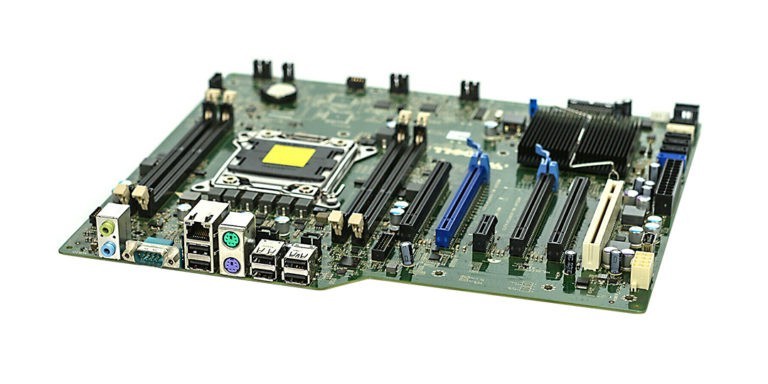
The motherboard is the backbone of the computer, connecting all the components together and allowing communication between them.
GPU
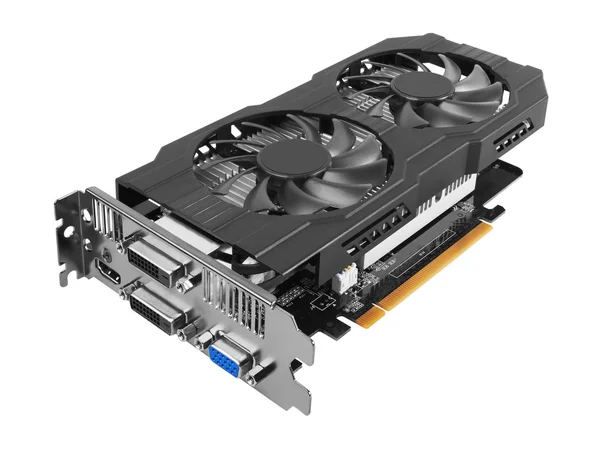
The Graphics Processing Unit (GPU) handles rendering graphics, essential for gaming, video editing, and 3D modeling.
Prices
Prices of some essential components: